


VPN Proxy Speed - Super VPN
4.924.13K Reviews
App Specs
- Version
- 4.6.9
- Updated On
- License
- Free
- Downloads
- 100,000,000+
- Developer
- TOPAPPS TECH PTE LTD
- Categories
- Productivity
- Platform
- Android, iOS
Screenshots
 Analysis by AppCompare
I judge a VPN by what happens when something goes slightly wrong, not just by how quickly I can tap Connect. A simple interface is useful, but it does not make every connection problem disappear, and a VPN cannot improve a weak internet signal by itself. VPN Proxy Speed - Super VPN is a free productivity app from TOPAPPS TECH PTE LTD, and its appeal is straightforward: it aims to make connecting through a VPN feel accessible rather than technical. I would consider it for casual browsing and routine use, while keeping realistic expectations about speed, privacy, and what a VPN can actually fix.
Where a quick connection can get stuck
The first point of friction with any VPN is often not the connection button; it is working out whether the connection has actually helped. A VPN may change the route your traffic takes, but it cannot make a crowded café network or a poor mobile signal reliable. If a page stalls after connecting, I would not immediately assume the app is broken. I would compare the same page with the VPN disconnected, then reconnect and try once more. That simple check helps separate a VPN-related snag from an ordinary network slowdown.
Another common source of confusion is expecting one server choice to suit everything. A location that works well for everyday browsing may not be the best choice for a service that checks where you appear to be connecting from. Switching locations can be useful, but it can also interrupt active sessions or prompt a website to ask you to sign in again. I treat server changes as a targeted troubleshooting step, not something to do repeatedly while a video call, download, or payment is in progress.
Setup checks before you blame the VPN
Before using a new VPN connection, I make sure the device itself has a working internet connection and that the app is up to date. VPN Proxy Speed’s current version is 4.5.5, and it supports Android 7.0 or later. Those details matter if you are helping someone with an older phone: an app that cannot run properly on the device is a different problem from one that connects but behaves inconsistently. On iOS, I would likewise check the app’s current store page and the device’s compatibility before troubleshooting further.
When the app asks to establish a VPN connection, read the system prompt rather than tapping through automatically. A VPN needs the operating system’s permission to create that connection; this is a normal part of setup, not proof that the app can fix every security risk. If you previously denied the request, retrying from the app may bring it up again. If it does not, check the device’s VPN settings and follow the operating system’s controls instead of repeatedly reinstalling the app.
Recovering a session without making things worse
If browsing stops just after connecting, I use a short, orderly reset: check whether the ordinary connection works, disconnect the VPN, close and reopen the app, then try connecting again. If the problem appears only with one location, I test another available location once. This avoids chasing several changes at once and makes it easier to tell which step helped. I also avoid switching servers in the middle of a sensitive task, because a brief interruption can matter more than the privacy benefit of changing routes at that moment.
For an app or website that refuses to load through a VPN, disconnecting temporarily can help identify the cause. Some services limit access when they detect VPN traffic, and a VPN cannot compel them to accept a connection. If the service works without the VPN, that points to a compatibility issue rather than a general failure of the phone’s internet. I would only bypass the VPN when the task does not require it and I am comfortable using the ordinary connection; for private activity on an unfamiliar network, I would think carefully before doing so.
Worth Reading Before You Choose

Flipboard Shows What News Apps Must Do Beyond the Feed

Switching to Android Auto Means Rethinking Your Driving Routine

Google Calendar Makes a Crowded Week Easier to Manage

Ludo King Makes the Most of the Minutes Between Plans

Baby Panda World Brings Quick Play to Modern Phones, but Its Game Library Feels Busy

ESPN’s Live Game View Makes Following Close Games Easier
Getting Started with VPN Proxy Speed
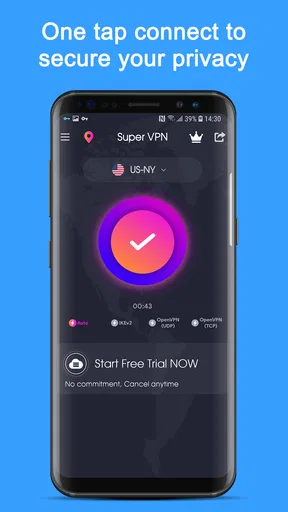
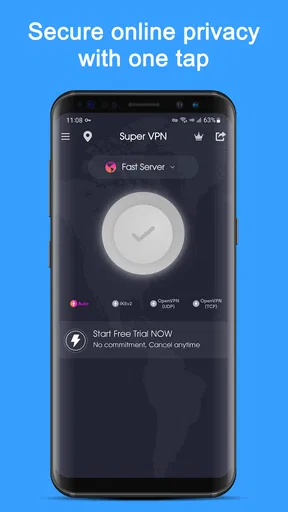
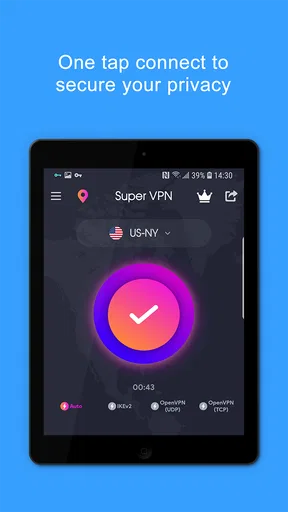
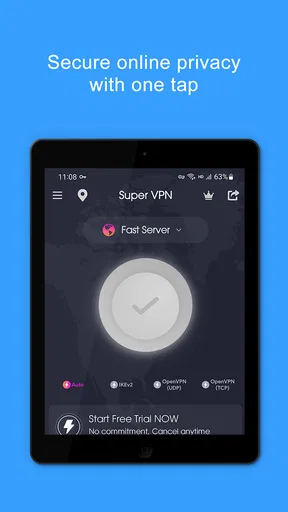
First things first, downloading and installing the app is a breeze. A quick search on your app store, and VPN Proxy Speed - Super VPN is ready to go in just a few taps. It's available on both Android and iOS, so regardless of your device allegiance, you're covered. The user interface is refreshingly simple, making it easy even for the less tech-savvy among us to navigate. No need to wade through endless menus or settings—just open, tap, and connect.
Why Use a VPN?
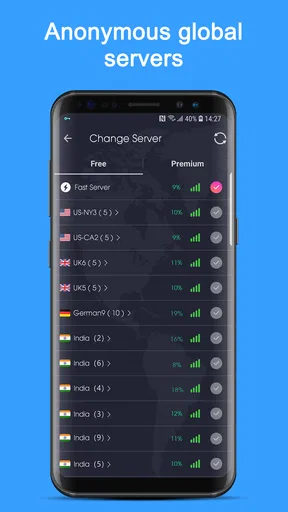
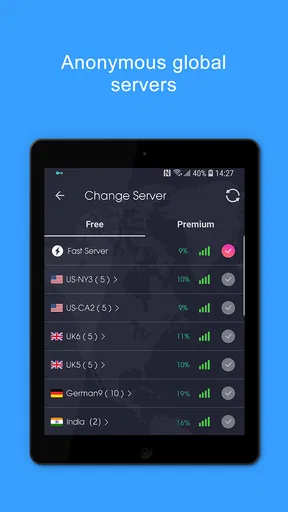
In today’s digital world, privacy is more important than ever. A VPN, or Virtual Private Network, helps cloak your online activities, keeping them safe from prying eyes. Whether you’re surfing the web at a coffee shop or want to access region-locked content, a VPN is your best friend. With Super VPN, you can effortlessly switch between servers from various countries, giving you access to content from around the globe.
Speed and Performance
What’s really impressive about this app is its speed. Let’s face it, there are plenty of VPNs out there that slow your connection to a crawl. But with this VPN, I was pleasantly surprised. Streaming videos, playing games, or just browsing the web—everything ran smoothly. The app boasts a large number of high-speed servers, so you’re not stuck in a digital traffic jam.
Security Features
Security is where this app truly shines. It employs military-grade encryption to ensure your data remains protected. Whether you’re inputting sensitive information or just casually browsing, you can rest easy knowing that this VPN has your back. It also offers a no-log policy, meaning your online activities aren’t being tracked or recorded. It’s like having a personal security guard for your data.
User Experience
Using the app is as easy as pie. There’s no need to sign up or create an account, which is a big win in my book. Just open the app, tap the "connect" button, and you’re set. If you’re feeling adventurous, you can choose from a list of servers around the world. The app also runs smoothly in the background, so you don’t have to babysit it.
Additional Features
Aside from the basic VPN functions, this app offers some neat extras. You can set it to automatically connect when you join certain networks or even customize which apps use the VPN connection. These features add a nice layer of convenience and control over your browsing experience.
What it is—and is not—good for
A realistic use is checking messages or reading news on a shared café Wi-Fi network, where I would prefer to add a VPN layer before browsing. It is also handy for someone who wants a simple way to try a different connection location without learning networking terminology. The app is free to download, rated for Everyone, and has an average rating of 4.8 from around 1.6 million ratings, which suggests broad interest, though popularity alone cannot tell me whether a particular connection will suit my device or network.
I would be more cautious about relying on it as the sole safeguard for banking, confidential work, or other high-stakes activity. A VPN protects a connection in a particular way; it does not make a suspicious website trustworthy, prevent phishing, or replace strong account security. I also would not choose a VPN simply to chase higher speeds for online games. Routing traffic through another server can add delay, so if a game already works well on the direct connection, leaving the VPN off may be the better practical choice.
Everyday trade-offs and alternatives
Suppose I am waiting for a train and want to read articles on public Wi-Fi. I can connect before opening the browser, use the VPN for that session, and disconnect when I no longer need it. If a ticketing app then refuses to complete a purchase, I would first check whether the service works on the ordinary connection rather than cycling through locations while the checkout is open. That workflow keeps the VPN useful without turning a small convenience into a frustrating interruption.
Compared with a browser’s built-in privacy options, a VPN can cover more than activity inside one browser, depending on how the connection is configured. Compared with a paid VPN service, a free app can be an easier starting point, but I would read its current in-app purchase and privacy details before making it part of a sensitive routine. This app lists in-app purchases ranging from $1.49 to $39.99 per item, so I would check what an optional purchase offers before paying rather than assume every feature is included at no cost. Its scale—over 100 million installs and 23,000 reviews—makes it familiar to many users, but I would still choose based on my own needs.
The automatic connection and app-selection options described for this app can make a difference to how I use it: automatic connection may save a step on a network I regularly distrust, while choosing which apps use the VPN can avoid routing every activity through it. Those controls are worth setting deliberately, not enabling blindly. If a service depends on the device’s normal location or connection, excluding it may avoid needless compatibility trouble; if the goal is to keep that app’s traffic on the VPN, the opposite choice makes more sense. I would test the arrangement with low-stakes browsing first.
When the trouble is somewhere else
If the same page fails both with and without the VPN, I look beyond the VPN: the Wi-Fi may have dropped, the service may be unavailable, or the device may need a reconnect. If only one app is affected, checking that app’s own connection and account state is more useful than changing VPN locations over and over. These checks are simple, but they prevent a common mistake: treating every internet problem as a VPN problem.
For frequent work calls, dependable access to a specific company network, or a service that actively blocks VPN connections, I would consider a different solution or follow the service’s own guidance. Someone who needs clearly documented privacy practices and more control should compare dedicated providers carefully, including their terms and costs. Conversely, a casual user who wants a quick, approachable connection may appreciate this app’s low-friction setup. The right choice depends less on a headline speed claim than on whether the connection remains dependable for the tasks that matter to you.
My practical verdict
VPN Proxy Speed is best approached as a convenient everyday tool, not a universal fix for slow internet or a complete privacy strategy. Its simple connect-first design makes it approachable, and the ability to choose locations and tailor use by app can support a more considered routine. The friction points are familiar: a VPN can interrupt a service, a location change can affect a session, and a weak underlying network stays weak. When I troubleshoot in a few deliberate steps and use it for tasks that fit its purpose, the app makes sense; when reliability, specialist controls, or a particular service’s compatibility comes first, I would compare alternatives before committing.
In short, VPN Proxy Speed - Super VPN is a robust tool for anyone looking to enhance their online experience. From its user-friendly design to its impressive speed and security features, it ticks all the boxes. So, if you’re tired of sluggish connections and want a boost in privacy, give it a whirl. You might just wonder how you ever lived without it.
Pros
- Fast connection speeds for streaming.
- User-friendly interface with easy setup.
- Supports multiple devices simultaneously.
- No registration required for use.
- Offers a variety of server locations.
Cons
- Limited features in free version.
- Occasional connection drops.
- Ads in the free version can be intrusive.
- No dedicated customer support chat.
- Some servers have slower speeds.
FAQs for VPN Proxy Speed - Super VPN
What features does VPN Proxy Speed - Super VPN offer?
VPN Proxy Speed - Super VPN provides a secure and fast connection, allowing users to browse the internet privately. It offers a wide range of servers across various countries to bypass geo-restrictions. The app includes features such as one-tap connection, no log policy, and unlimited bandwidth, making it a versatile tool for privacy and security.
Is VPN Proxy Speed - Super VPN safe to use?
Yes, VPN Proxy Speed - Super VPN is designed with user safety in mind. It employs high-level encryption to protect your data from hackers and snoopers. The app adheres to a strict no-log policy, ensuring that your browsing history and personal information remain confidential and secure at all times.
Does VPN Proxy Speed - Super VPN affect internet speed?
While any VPN can potentially slow down your internet connection due to encryption processes, VPN Proxy Speed - Super VPN is optimized for speed. It strategically connects you to the fastest available server, minimizing any potential lag. Users generally report minimal impact on speed, allowing for smooth streaming and browsing.
Is VPN Proxy Speed - Super VPN free to use?
VPN Proxy Speed - Super VPN offers a free version with basic features, which includes limited server access and advertisements. For a more enhanced experience, users can opt for the premium subscription, which provides additional servers, faster connection speeds, and an ad-free interface, all of which greatly enhance the usability.
How easy is it to set up and use VPN Proxy Speed - Super VPN?
Setting up VPN Proxy Speed - Super VPN is straightforward and user-friendly. After downloading the app, users can connect to a VPN server with just one tap. The interface is intuitive, making it accessible even for those new to VPNs. The app also provides guidance and support to help users navigate any setup issues.


